Archive for the ‘Exposure, Aperture, Shutter Speed, ISO’ Category

Do You Chimp When Taking a Digital Image With Your Camera

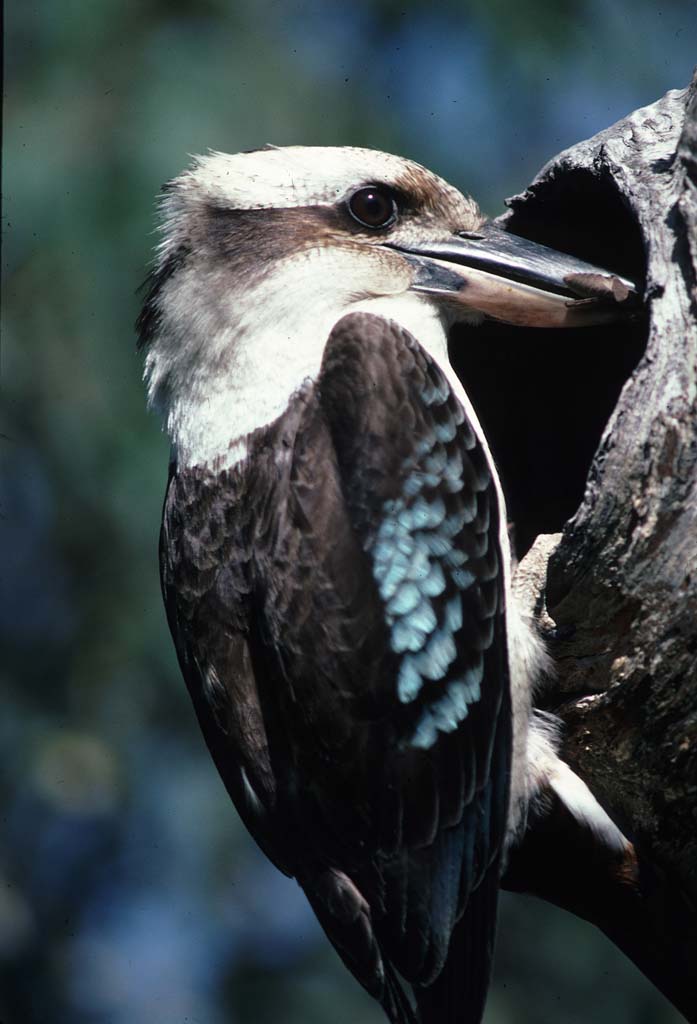
Chimpanzee

The above Chimpanzee has been captured on film with a film camera and subsequently scanned and processed in Photoshop.

Chimping with a digital camera generally refers to the action of checking the LCD monitor of the camera after you capture the image to ensure that the image is to your satisfaction. Take the picture and then turn the camera around to look at the image, something like a Chimpanzee would do.

With the latest digital cameras, the LCD screen is quite large with most cameras, up to 3 inches or 74mm. There are some advantages and also disadvantages in chimping with the LCD screen.

  • One of the biggest advantages of digital cameras compared to film is the instant feedback you get.
  • Even though the screen of most digital cameras is quite large it is still relatively difficult to judge accurately if the exposure is correct from just looking at the image itself on the LCD screen.
  • If you really need to check if the exposure is OK then select the camera’s menu option to see the Histogram on the screen. Most good cameras will have this option. The Histogram will give a very good indication of the correctness of the exposure, it will also indicate if the camera has captured the dynamic range of the scene.
  • If you are really into chimping, then you can also generally zoom in with the LCD monitor with most cameras and if you zoom in enough the sharpnes of the image can also be checked on the monitor.
  • If you spend too much time in chimping you may also miss a critical image. Photography is all about capturing the decisive moment and who wants to miss it.
  • Chimping with the LCD monitor all  the time will cause your camera to consume more battery power and shorten the number of exposures available from a fully charged battery.
  • Chimping with your camera is a great additional tool for photographers to use.
  • If we do chimp with our cameras lets do it a little more intelligently than a Chimpanzee would do.

Do you like Blurry Images

Currumbin Rock Pool

Normally I am not too keen on images unless most of the subject matter is quite sharp. Sometimes we use selective focus with a low aperture to blur out some part of the image.

The images in this post have been intentionally taken with a long exposure to intentionally blur the flowing water. I quite like the effect you get by doing this. I do not think that it matters if the water is not sharp as long as all the rocks and other important things in the image are very sharp.

Rapids, Currumbin Rock Pool

The technique to do this is by taking a very long exposure. For both the images above, the exposure was 120 seconds and the camera was placed on a tripod to keep it steady, a remote cable release was also used to avoid camera movement.

A 10 stop neutral density (ND) filter was used to block some of the light, consequently the exposure required was 10 stops longer in time than normally  required. Using these filters is not easy, as the filter blocks out so much light that it is difficult to focus the camera through the viewfinder, The secret is to manually focus the camera on the tripod and then place the ND filter on the lens. You will need to take the exposure using manual camera settings and manually allow for the additional 10 stops for the total exposure time required.

Beginners Guide – Top Ten Tips to Improve Your Photography

There are many things you can do to improve your photography. In the following article we will sumarise the ten main thing you can implement to make your images stand out.

1. Shutter speed

The shutter speed can have a huge bearing on the quality of an image. A slow speed will create blur resulting in an unsharp image. A fast shutter speed will freeze action and help obtain sharp images.
Sometimes the photographer may intentionally create blur to give a creative impact to the image.

2. Aperture

The aperture setting determines how much light the lens lets through to the sensor and this determines the correct exposure.
The aperture also determines the depth of field and which parts of the image will be in focus.

3. ISO

The ISO setting determines the sensitivity and needs to be set depending on the amount of light available. In bright light use a lower ISO setting and in duller light use a higher ISO.

4. Get in close

Get close to the subject to fill the viewfinder frame  completely up with the subject.

5. Focus on subject

The camera will have auto focus points in the viewfinder, make sure the focus is on the main subject. With people photography ensure that the eyes are in focus.

6. Keep it simple

Do not try to get too much in the picture. The simpler the composition the more impact the final image will have.

7. Watch the background

Watch for any distractions in the background, keep the background simple so that the main subject will stand out against the background.

8. Move the subject slightly off centre

Generally the composition of the image will look much better if the main subject is not in the centre of the images, keep the main subject to one side.

9. Keep the camera steady

The use of a tripod nor monopod will assist in qeeping the camera steady. Also use a remoter shutter trigger if possible.

10. Take your camera everywhere

One thing needs to be stressed, is to take your camera everywhere you go. If you do not have your camera you will not get any images. If you normally use a Digital SLR get a smaller camera so you can carry it around easily when not using the DSLR.

Water Movement Photography

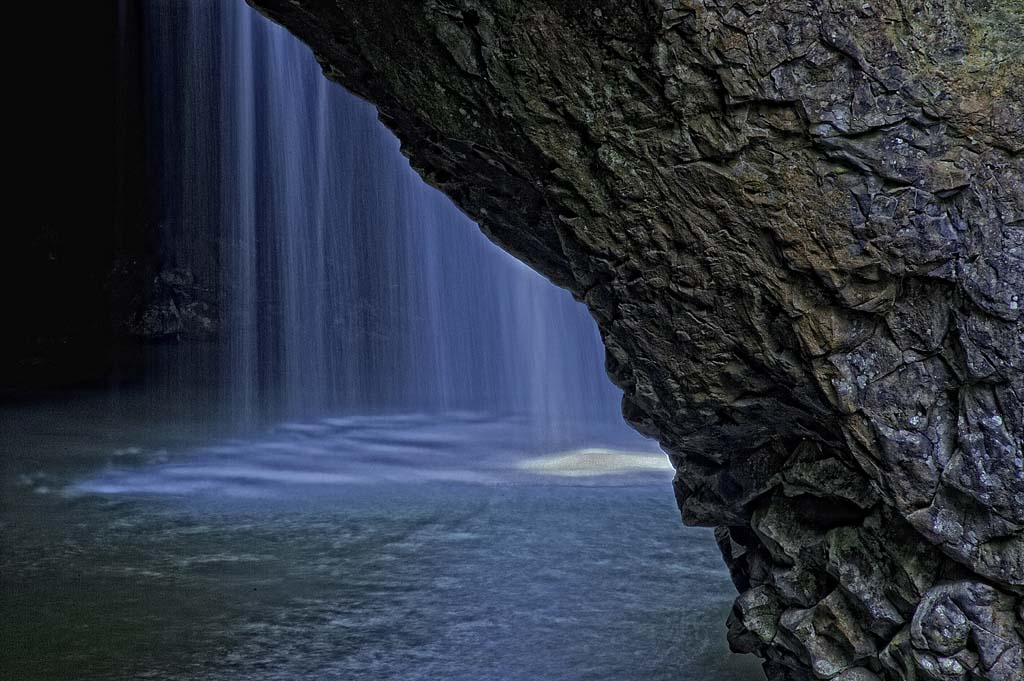
Natural Bridge Falls

The movement of water can help to create interesting images.  In order  to capture images such as these it is essential to use a tripod, as shutter speeds close to 1 second or greater will be required. Generally a shutter speed of 1/8 of a second will start to blur the moving water, but with a tripod any shutter speeds up to 1/2 minute can be tried. Sometimes it is useful if a neutral density filter is used so that longer shutter speeds can be used.

Waterfalls are great to capture the movement of water, also fast flowing streams aroud rocks also can form interesting images.

As well as a tripod some sort of cable release shgould also be used to avoid any blur of the image due to movement of the camera when operating the shutter.

There are further details on tripods and remote camera controls on articles as follows.

Cave Creek

Getting The Image Right In The Camera

Q1, Building, Observation Deck, Surfers Paradise, Queensland

Photoshop is a great software package, but the secret to obtaining stunning images is to get everything right in the camera and after you have acheived that, then work on the image in Photoshop. Most of the work in getting a good image happens before the Photoshop stage. We have other articles on Workflow after capture.

Keep It All Clean

Keep your camera in good condition and keep it clean. Keeping your camera clean applies to the external parts of the camera and the internal parts. All the external lens surface need to be kept clean and most importantly, the lens glass surfaces. A large blower is very suitable for this. Take care when changing lenses. When removing a lens, hold the camera so that the lens opening faces downwards, use a blower to give a few puffs to clean any dust from inside the camera. Also many DSLR cameras now have self cleaning sensors, set the camera so that it will self clean on start up and shut down. Dust on the sensor is the bane of all photographers.

Shutter Speeds

I have done several previous articles on shutter speeds as follows:

As from the above articles there are many ways to obtain different effects with different shutter speeds. Extra care needs to be taken when using slow shutter speeds, see the article on Long Exposures and the use of tripods and monopods.

Camera vibration can also have a major effect on the ultimate sharpness of the image.

Aperture

Selecting the correct aperture can be critical to get the subject matter in the zone of focus. This is where selective focus can be used to make the main subject sharp  but blur out the background.

Exposure

Correct exposure of the image determines whether the image is too dark or too light. If the exposure is not set correctly then the camera may not be able to cope with the dynamic range of the scene, if this happens some of the tonal information of the scene may not be captured by the camera.

ISO

The ISO setting of the camera will have a bearing on the quality of light captured by the camera. Some cameras will have an Auto ISO setting so that the camera will automatically set the ISO depending on the lighting available. Higher ISO settings will give more noise in the image, so use a low ISO setting as possible.

Color Temperature

Different light sources will create color casts in the image and the color temperature setting or white balance setting in the camera settings may need to be adjusted to suit the light source illuminating the scene. In most case this can be set to Auto.

Differential Focus

As discussed above, different aperture settings can allow the photographer to focus specifically on a certain part of the scene and throw other parts of the scene out of focus.

Framing

It is best to frame the image precisely, as cropping after the exposure is taken will cause a loss of resolution in the image and give a lesser quality image.

Large Aperture Lens

Stained Glass Window

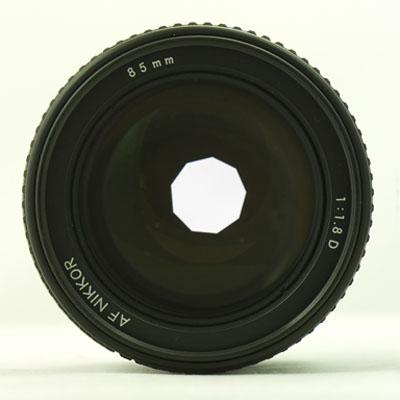
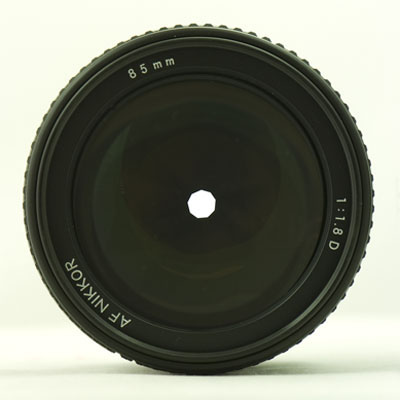
Large lens apertures will be required in dull light. The image below was taken inside a building in very dull lighting conditions, in these situations large lens apertures of f/1.4 to f/2.0 will be required. The larger the lens aperture the more light is received at the film or image sensor. Also large apertures may be required if you need to use higher shutter speeds.

Large aperture lenses will cost significantly more than smaller aperture lenses however they will offer a great advantage in low light conditions.

Many of the latest digital cameras have a big advantage when photographing in low light as theynow have extremely high ISO capability comparted to a few years ago when we used film. Many digital cameras have a capability of up to ISO3,200 or ISO6,400, which gives a big advantage in low light.

Slow Shutter Speed

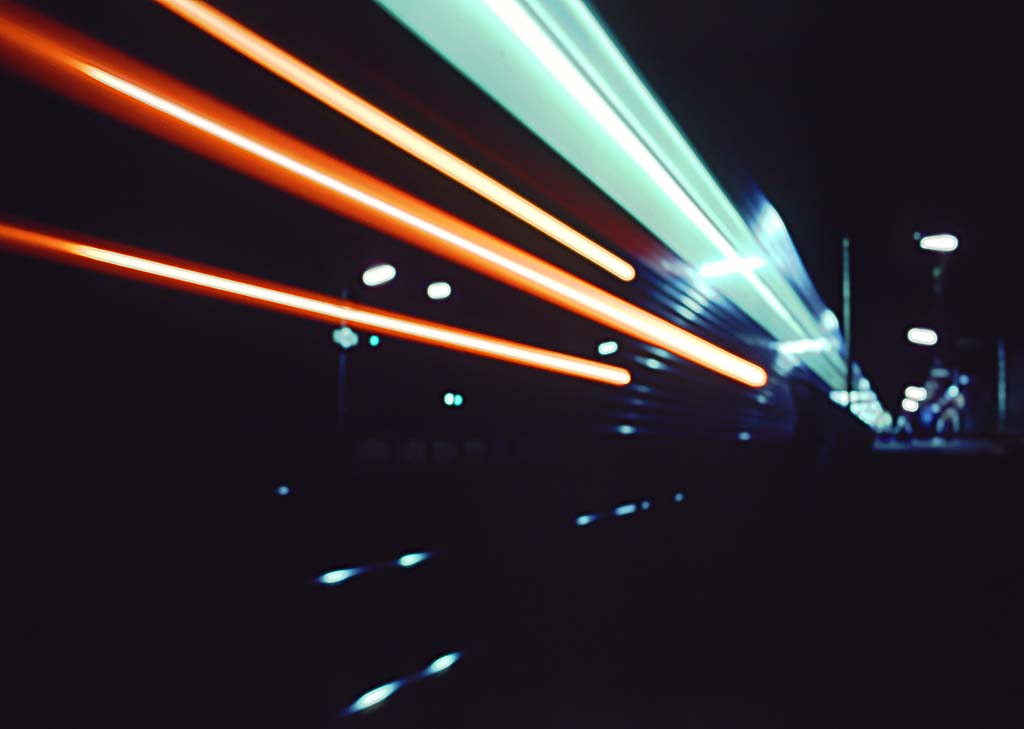
Train Lights

Slow shutter speeds can be used when you wish to gain a sense if movement or blurring of the image. In the image of the train above, the shutter speed was several seconds long, allowing the lights of the train to move across the image.

It is very advisable when using slow shutter speeds to give some support to the camera. For shutter speeds down to around 1/8 second a monopod can be used to stabilise the camera but with slower shutter speeds it is much better to use a tripod and some type of cable or remote release to ensure there is no camera movement.

Isolating the Subject

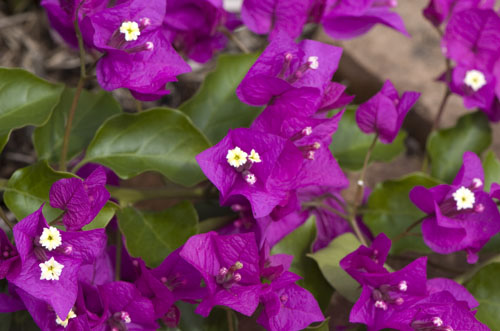
Isolating the subject can assist in moving the viewers attention from the background to the main subject. IIn the case of the image below an aperture setting of f/4.0 and a shutter speed of 1/250 of a second was used. This low aperture with a 105mm telephoto lens helps to throw the background out of focus. The lower the aperture used the more the background will be out of focus. Long telephoto lenses will always tend to reeduce the depth of field. In the image below even the outer petals of the flower are starting to go out of focus due to the narrow depth of field.

In addition to the depth of field a dark background can also assist in isolating the subject by allowing it to stand out from the background.

Flower

Camera Light Metering Mode Settings For Quality Images

Generally with modern cameras several exposure metering modes are available to select from. The metering is initiated by the half press of the shutter realease button.

Metering Modes

In most cameras the following modes may be available.

Color Matrix Metering
In this mode metering can be performed by a sensor with up to 1,000 pixels and this sets the exposure depending on a variety of criteria. The uses information from the lens in adjusting exposure and takes into account the brightness and colors in the areas of the scene.

Center Weighted Metering
In this mode the camera meters the entire image frame but it assigns a weighting to the central area of the image. Generaly the weighted area in the image is indicated in the central area of the viewfinder frame.

Spot Metering
The camera meters a tiny cincle in the center of the viewfinder frame.

Exposure Modes

The exposure modes determine how the camera adjusts the shutter speed and the aperture.

Programmed Auto
In this mode the camera automatically adjusts the shutter speed and the aperture for optimal exposure in most situations. But this moode will not take into account other issues such as depth of field and any subject movement. For the photographer to be in charge it is desired that other modes be chosen. Some cameras will also enable the photographer to make small adjustments to the program

Shutter Priority Auto
This mode the photographer selects the shutter speed and the camera will automatically select the correct aperture. This mode is useful to stop fast action or to create blurred effects using a slow shutter speed.

Aperture Priority Auto
This mode allows the photographer to select the aperture and the camera will select the correct shutter speed. This mode is very useful to control the depth of field in the image.

Manual
Manual mode is used to give the photographer full control over the complete exposure, shutter speed and aperture. This mode is very useful for night time shooting for subjects such as fireworks, lightning and night scenes generally.

Exposure Compensation

For certain images it may be necessary to adjust the camers exposure for creative effects, such as strong back lighting situations or to correctly expose silhouettes.

Bracketing


Exposure Bracketing
Exposure bracketing is usefull when you may be unsure of the exposure or camera settings. The camera can then take several exposures as selected around the settings shown by the camera.

White Balance Bracketing
White balance bracketing can be used if you are unsure of the white balance settings and several images can be taken with different white balance settings.

ISO

It should be noted that with Digital cameras the adjustment of ISO is possible as an adjustment in parallel with shutter speed and aperture.

Auto ISO
Auto ISO can be used very effectively to interact with the aperture and shutter speed settings, but try to keep the ISO as low as possible to avoid noisy images.

Dynamic Range

The Dynamic range of a camera can be defined as the ratio between the maximum and minimum light intensities from the sensor. The maximum ligjht intensity representing white and the minimum light intensity representing black. The dynamic range can be measured in f-stops to describe the overall light range available, summing up it is the amount of detail recorded between the highlights and shadows in the image.

Fill in electronic flash may be used to bring out detail in the shadows of the image to reduce the dynamic to be captured by the camera.

Post Processing

In Photoshop or with the camera settings, we can enhance the dynamic range by decreasing the contrast. In adddition, Photoshop has shadow/highlight slider adjustments to help bring out detail in the shadows and also to bring out detail in the highlights.

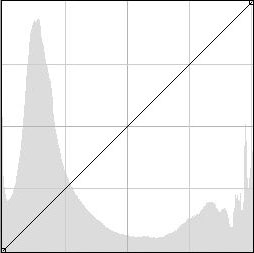
Viewing the histogram of the image can indicate whether the full dynamic range of the image has been captured.

Full Dynamic Range

This first histogram above indicates that all tones within the image are captured within the histogram, being just captured on the left hand side and with some margin on the right hand side.

Partial Dynamic Range

The second histogram above indicates that some of the highlights have been cut off on the right hand side and some of the shadows have been cut off on the left hand side, thus the camera has not captured the full dynamic range of the scene.

To overcome the dynamic range limitations the photographer may need to adjust the exposure of the camera to capture the tones to best suit the circumstances.

An alternative is to capture the full range of tones in the image by bracketing exposures and combining the exposures in software to form a HDR (high dynamic range) image.